Navigate to the Admin Dashboard. You need to be logged in to access the dashboard. Logging in will automatically redirect you to this page. If already logged in, you can access the dashboard via the website footer.

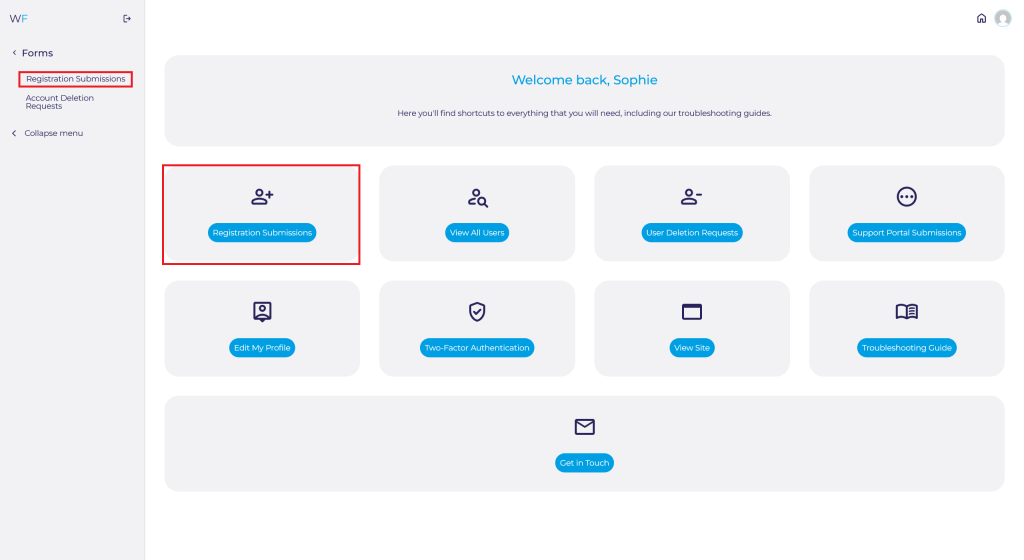
Navigate to Registration Submissions on the Admin Dashboard quick access shortcut or via Forms ➟ Registration Submissions via the side panel.
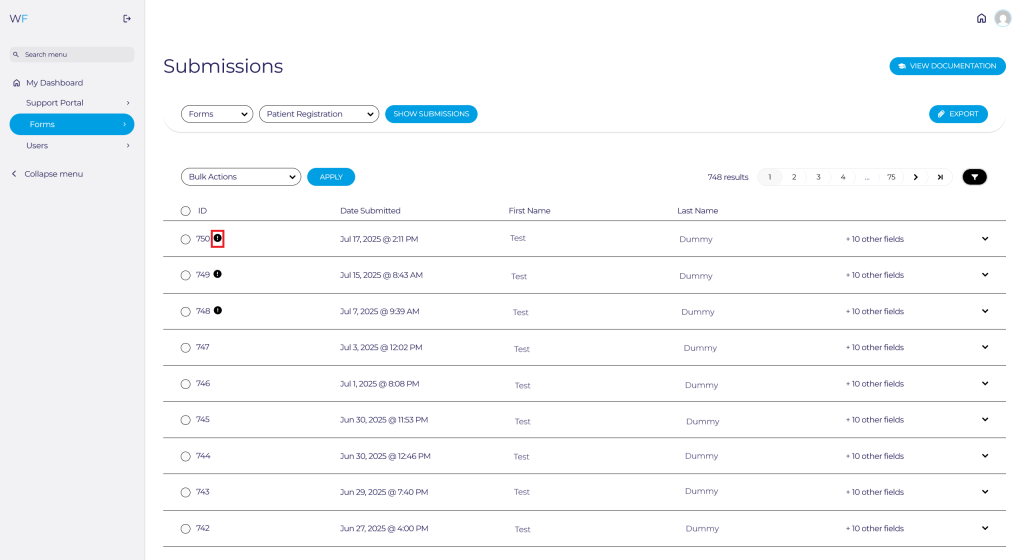
New registration submissions and users who need approving will have an exclamation mark by their registration ID.
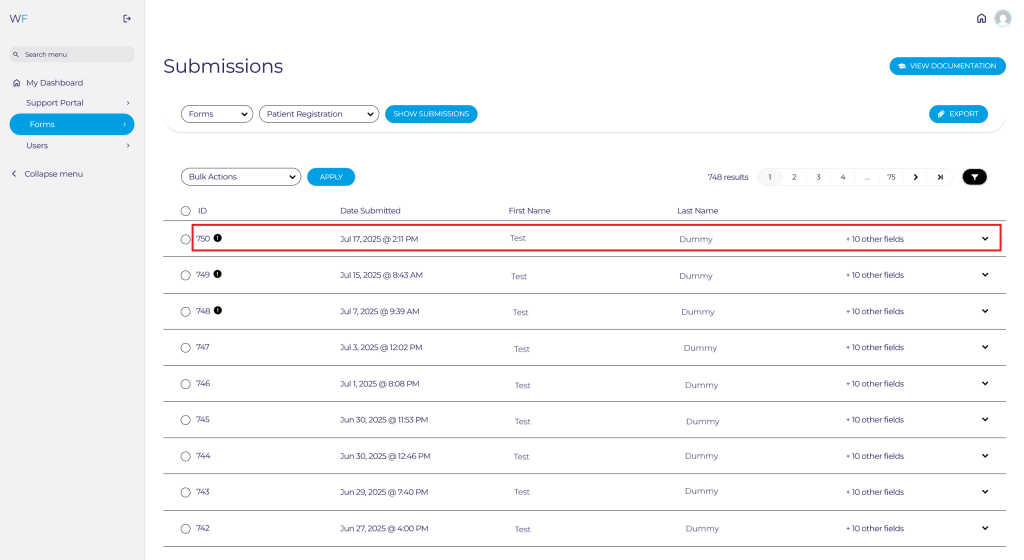
To view the form, click anywhere on the row of the new submission.
The registration form will open up with their answers for you to go through.
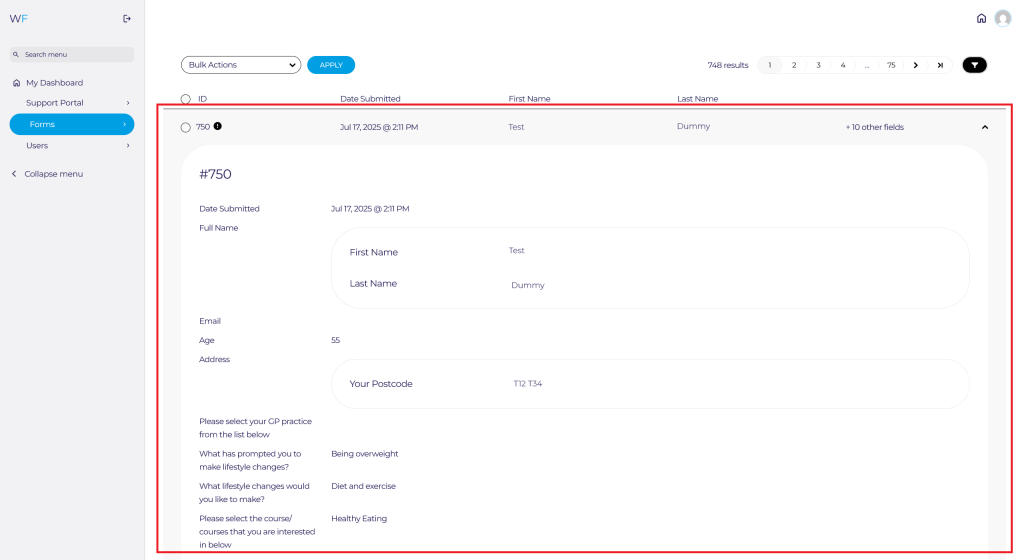
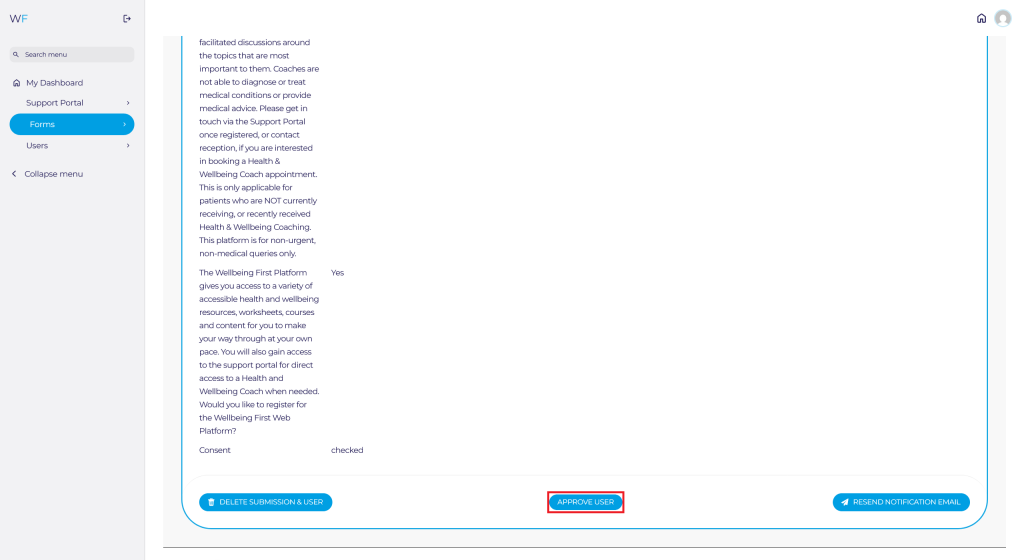
You can then approve the user by clicking the Approve User button at the bottom of the form in the middle.
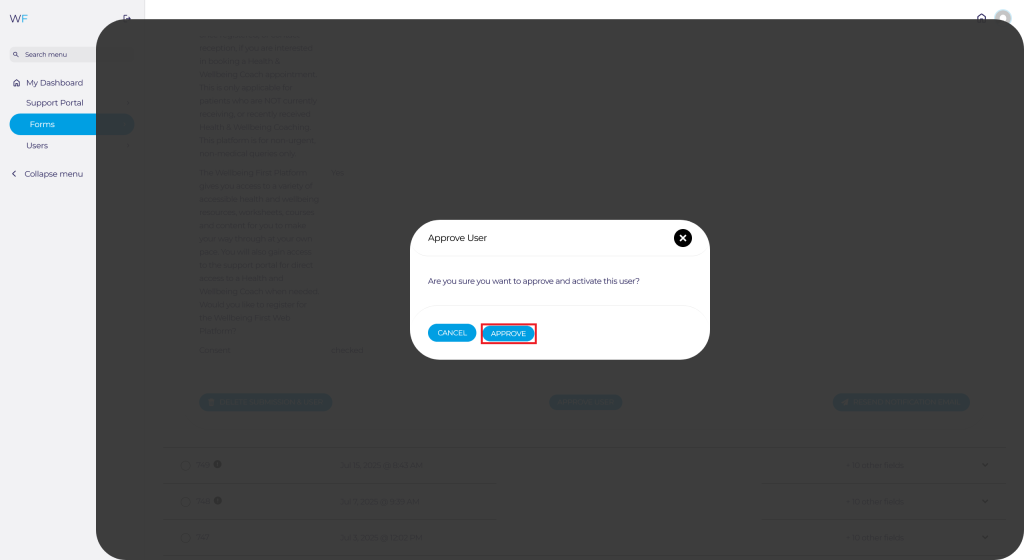
You will then be prompted to confirm the approval.
Once approved, the page will refresh and the user will automatically be sent an email telling them they are approved and can now login.
Depending on configuration, you may wish to manually enrol users into a course once approved, or users may have requested to be enrolled onto certain courses during registration. If appropriate, please follow our guide on How to Enrol or Unenrol Users From Courses Here.
Some users may also enter information incorrectly when registering. To make amendments to their registration details, please follow our guide on How to Edit Users here.
