Navigate to the Admin Dashboard. You need to be logged in to access the dashboard. Logging in will automatically redirect you to this page. If already logged in, you can access the dashboard via the website footer.

Navigate to Users on the Admin Dashboard via the side panel or quick access shortcut.
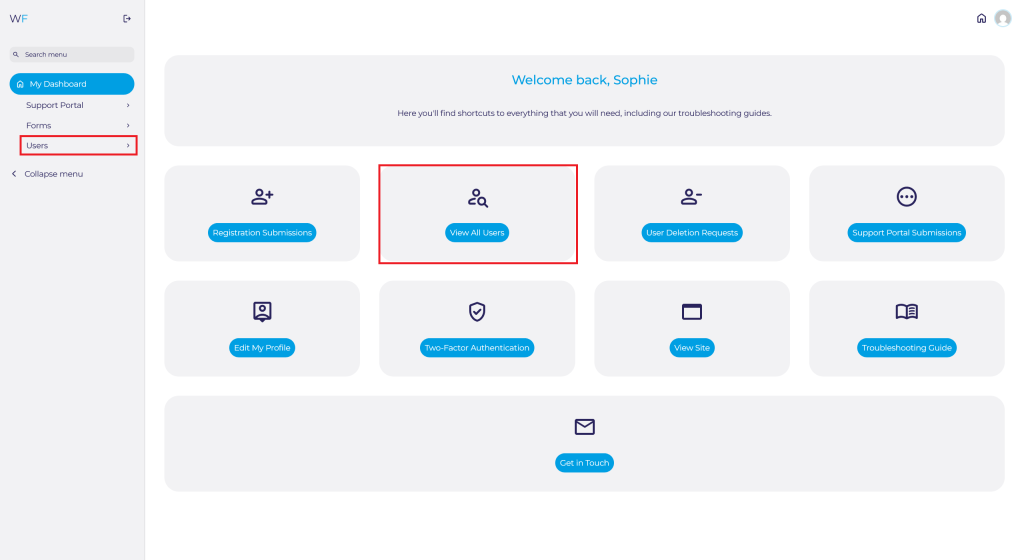
Search for the User you are looking for and either click on their Username, or press Edit.
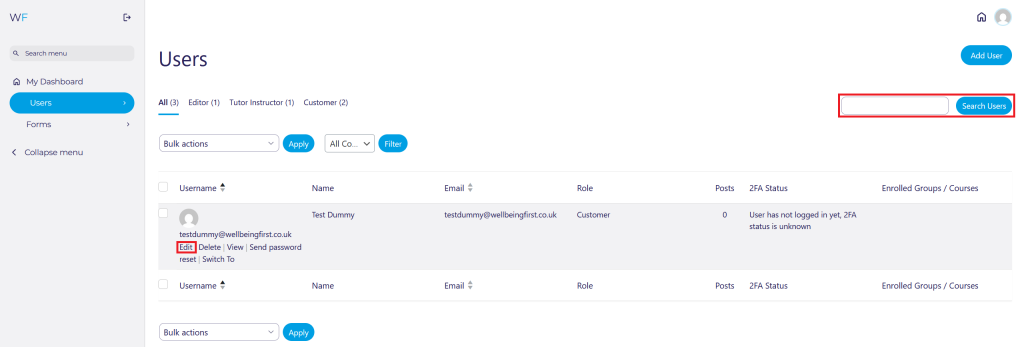
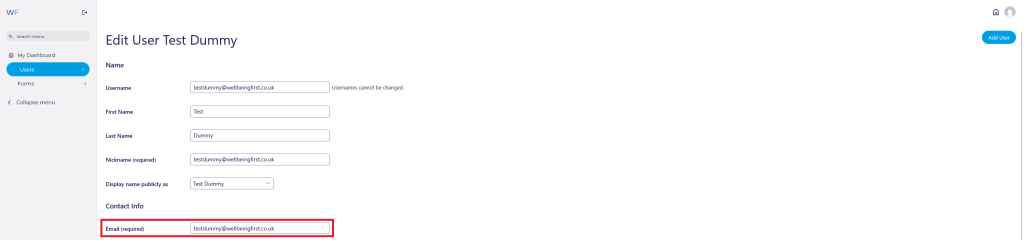
From this page, you can edit the Users:
Name:

If you change the users name, you may also wish to change their displayed name.

Email:
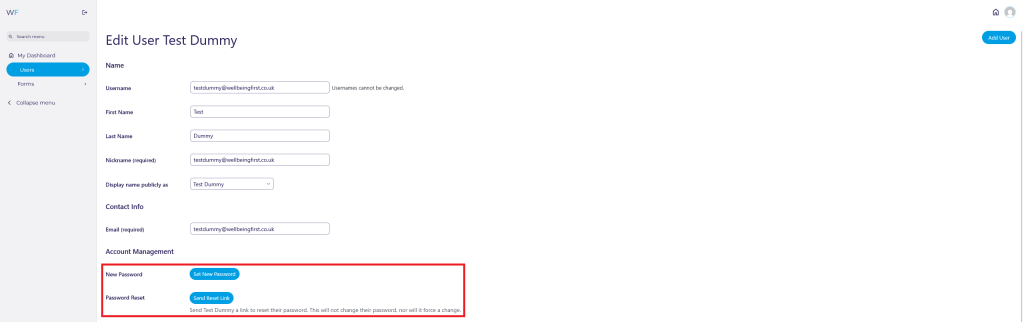
Password:
Set a new password for them or send them a link to manually reset their password. The User can also do this from their own account settings.
Enrol or unenrol Users from Courses:

View our full guide for How to Enrol or Unenrol Users From Courses here.
GP Practice & Postcode:

Two-Factor Authentication (2FA):
See if the User has 2FA configured.

Reset the Users 2FA if they have it configured.

Achievements & Points
View and Achievements or Points the User has earned from courses.

Once you have made any changes, please click Update User at the bottom of the page.

