Navigate to the Admin Dashboard. You need to be logged in to access the dashboard. Logging in will automatically redirect you to this page. If already logged in, you can access the dashboard via the website footer.

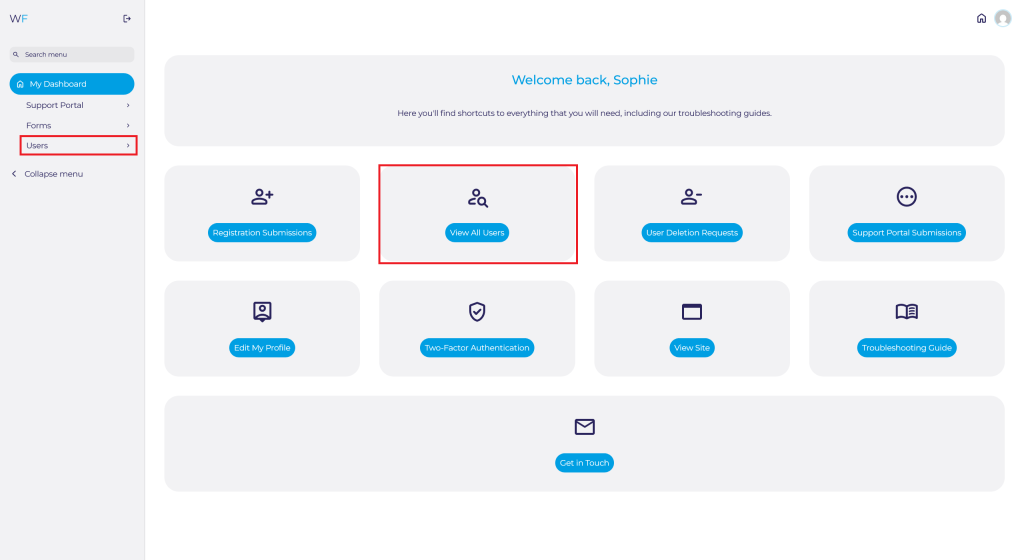
Navigate to Users on the Admin Dashboard via the side panel and select Profile You can also select View All Users and search for yourself.
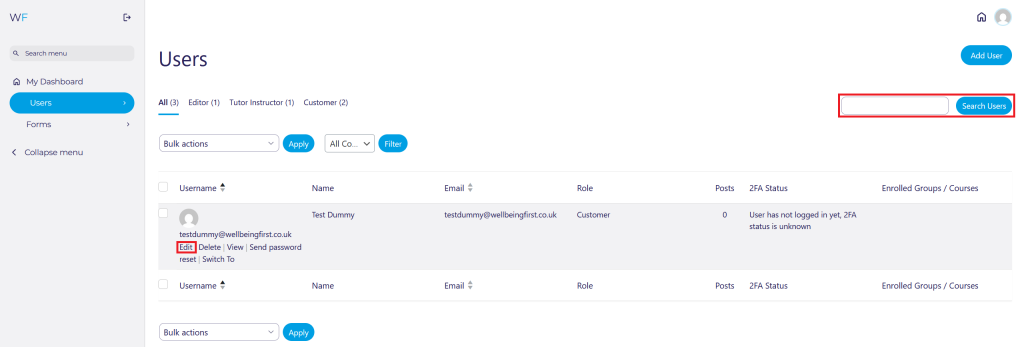
If searching for yourself, click on your Username, or press Edit once found.
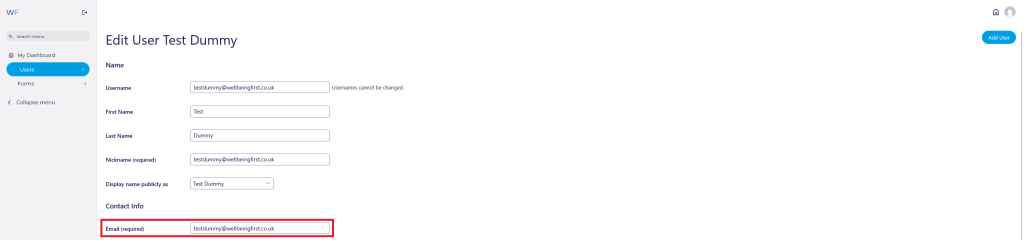
From this page, you can edit your:
Name:

If you change your name, you may also wish to change your display name.

Email:
Password:
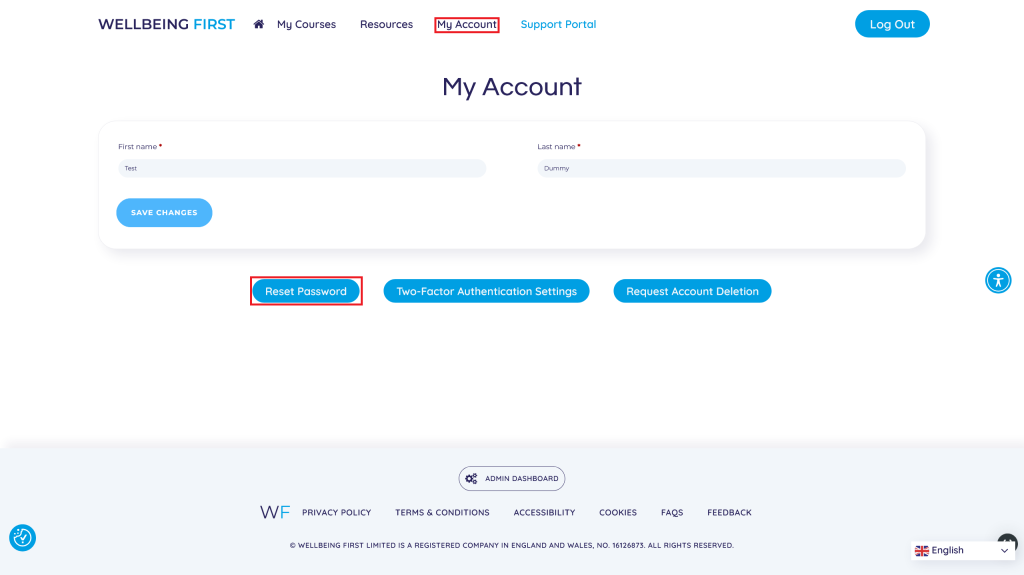
Set New Password.

You can also do this via your My Account page on the front-end.
Log Out Everywhere Else if you are logged in on multiple devices. You should press this particularly if you have forgotten to log out of a public computer. We strongly recommend that you login from a public computer/device.
Enrol or unenrol yourself from Courses:

View our full guide for How to Enrol or Unenrol Users From Courses here
Edit the GP Practice/PCN/Service you work for:

Two-Factor Authentication (2FA):
Configure 2FA, reset it, or view your current configuration.

View our full guide for How to Edit Your Admin Two-Factor Authentications Settings here
Achievements & Points
View and Achievements or Points that you have earned from courses.

Once you have made any changes, please click Update Profile at the bottom of the page.

