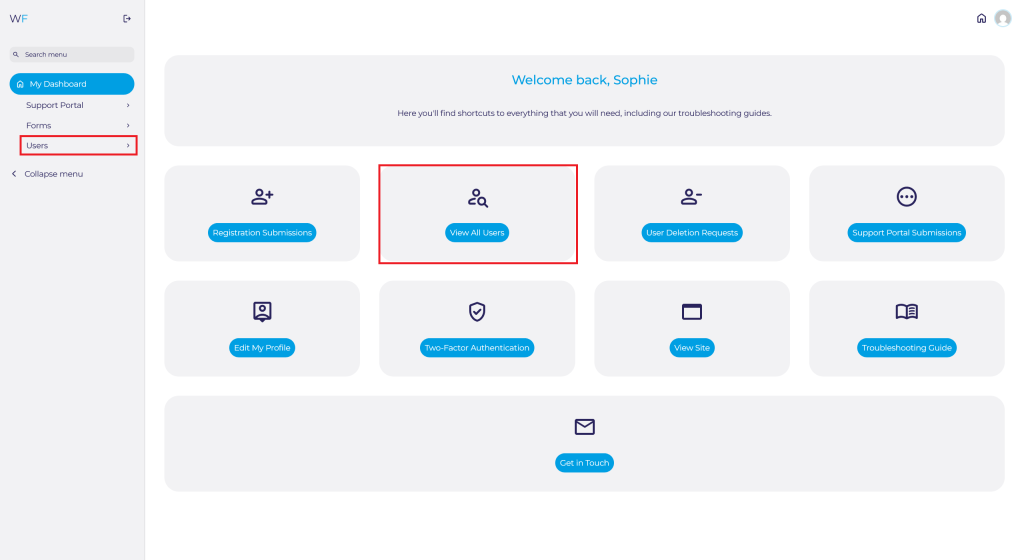
Navigate to the Admin Dashboard. You need to be logged in to access the dashboard. Logging in will automatically redirect you to this page. If already logged in, you can access the dashboard via the website footer.

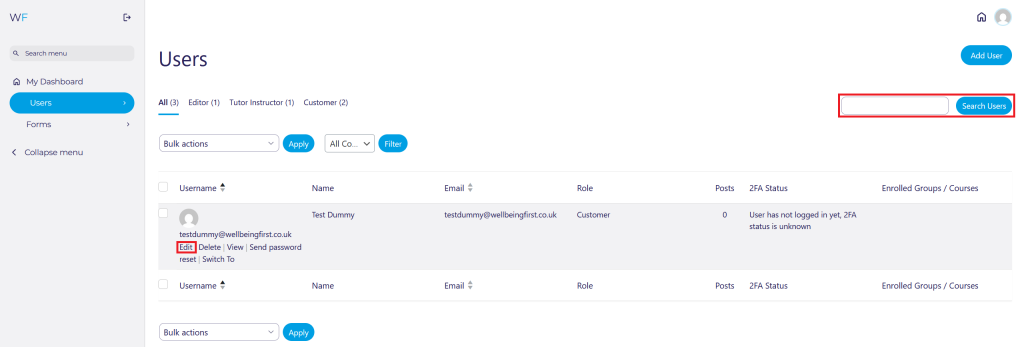
Navigate to Users on the Admin Dashboard via the side panel and select Profile You can also select View All Users and search for yourself.
If searching for yourself, click on your Username, or press Edit once found.
Scroll down to Two-factor authentication settings:
This will allow you to reset your Two-Factor Authentication (2FA), view your current 2FA configuration or set up 2FA.
You can Reset 2FA Configuration and view what 2FA settings you have have configured.

Scroll Down to the bottom of the page and press Update Profile:

Click Configure 2FA and follow the steps on screen.

Scroll Down to the bottom of the page and press Update Profile:
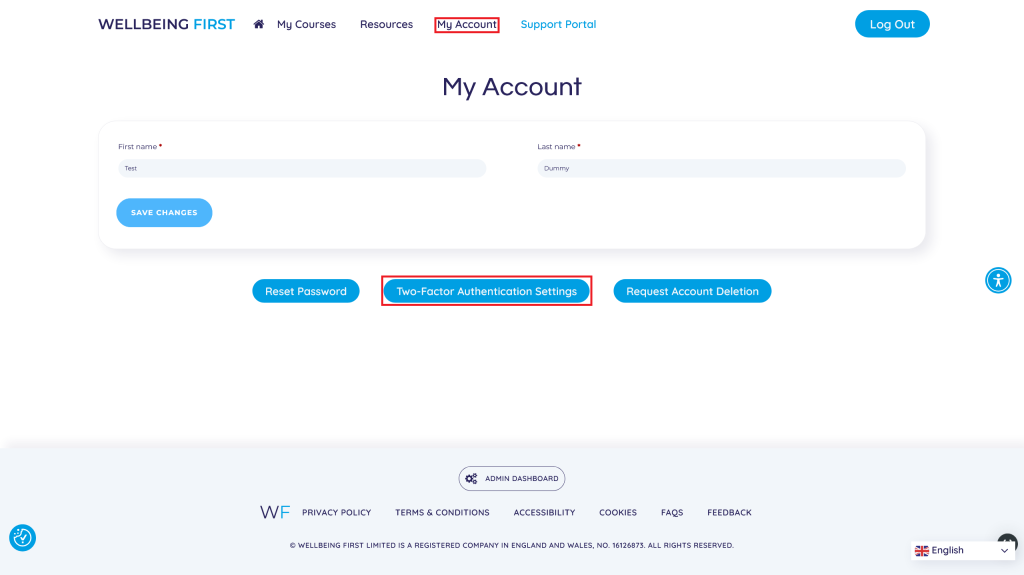
You can also adjust your 2FA settings via My Account on the front-end of the website.