Navigate to the Admin Dashboard. You need to be logged in to access the dashboard. Logging in will automatically redirect you to this page. If already logged in, you can access the dashboard via the website footer.

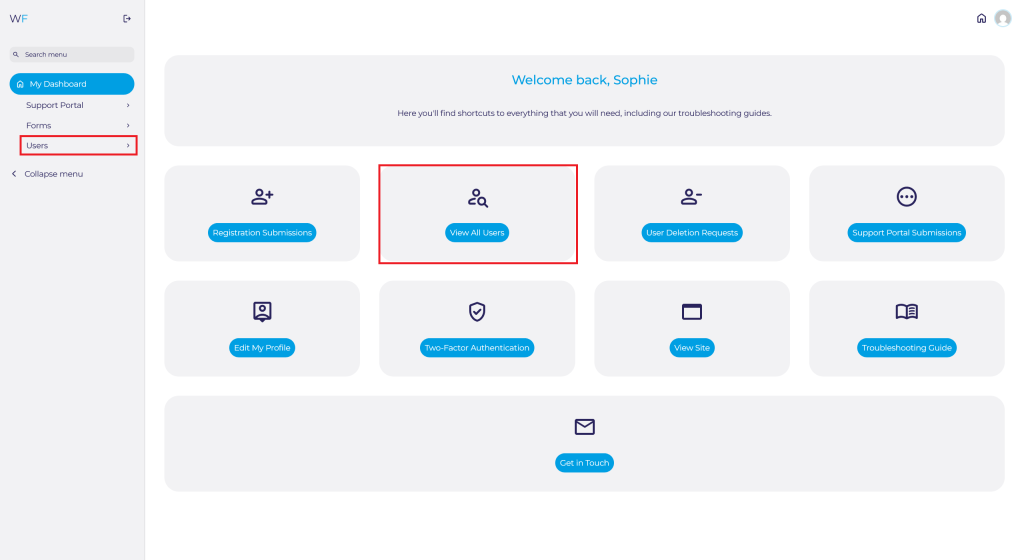
Navigate to Users on the Admin Dashboard via the side panel or quick access shortcut.
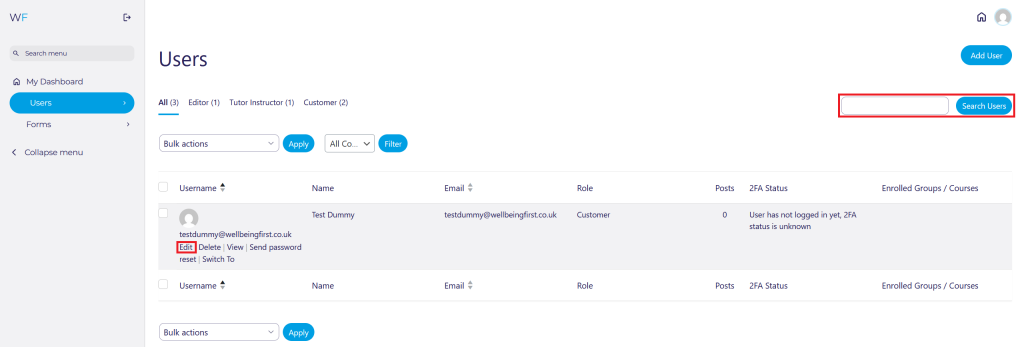
Search for the User you are looking for and either click on their Username, or press Edit.
Scroll down to GP Practice and edit it:

Scroll Down to the bottom of the page and press Update User:

